Friday, 15 February 2013

Week Two - Missed Session

This week is a session that I missed due to being in Berlin at the Berlinale Film Festival. Once I got back from the trip I asked Lewis if I could borrow the notes that he made during the session so I could catch up on what I had missed.


From the notes that I have been given, I found that that during the session, many different things were spoken about.

We were told to look at a book called ‘Scorsese on Scorsese’. I will go to the library and see if I can find this book and read it to gain more information about how Scorsese’s films are edited and any further knowledge I will be able to acquire from it.

We were talked through the book In The Blink Of An Eye. The book is divided up into several sections. These are:
  1. Emotion 51
  2. Story 25%
  3. Rhythm 10%
  4. Eye trace 7%
  5. 2 Dimensional Space 5%
  6. 3 Dimensional Space of action 4%
We were also told that by the next session we would need a rough cut of our film Night Journey to show and get feedback on.

After that, we were taken through the opening to the film Goodfellas and spoke through it:
  • Red titles indicating blood
  • The soundtrack helps to drive the story
  • Voice-over, feeling of nostalgia, creating an emotional connection with the character
  • The pauses are just as important at the voice-over
  • The pacing and the voice-over is vital
  • Strong script, interesting and very fast paced
  • The voice-over sets up the storyline of the film

·      Visuals:
  • The use of the colour red – mise-en-scene
  • The Boss is the only one to get a close up. This is due to his status/presence. The Boss doesn’t have to say a word during the scene or express any emotion because the close ups show his dominance
  • A lot of camera movement – seduces the audience and keep in-time with the pace

After looking at Goodfellas, another film was looked at called The Third Man (1948). They also spoke about the opening to this film too:
  • The voice-over is fast paced
  • It is slightly comical
  • The sound has key chords that launch the audience into the next section of the film
  • Another film that was suggested for us to look at was The Art of Immersion. 

Although I missed this session, I think I have caught up on the work that I missed by collecting the notes that Lewis took and kindly let me use to catch up on the work. 

Wednesday, 6 February 2013

Creating Sub-Clips (05/02/13)

Today, myself and Lewis met up to start with the first brief that we've been given. We were given 5 main clips, ranging in length from 6 minutes to 21 minutes and our first task was to go through all of these clips and create sub clips of every different shot and name them correctly.

Whilst renaming the clips, we set a standard layout that we would follow for each clip. The layout we decided on was:

(MUTE) - SHOT TYPE - DAY/NIGHT - INTERIOR/EXTERIOR - SHOT DESCRIPTION

We also decided that we would each some abbreviations to make the clip names shorter and easier for us the read. The abbreviations that we used are:
  • WS - Wide Shot
  • LS - Long Shot
  • MS - Mid Shot
  • CU - Close Up
  • ECU - Extreme Close Up 
  • INT - Interior 
  • EXT - Exterior 
The screenshot below shows some of the files that we had started to rename.


Once we had finished the first clips and cut it down into individual clips, I wanted to make sure that we kept all of those clips together rather than mixing them all up with the rest of the clips that we were about to cut up. To keep them separate, I created a new bin to put them into, using Command + B. I renamed the bin to be the same as the original file name and then added sub clips to the end of it. I did this for each of the clips. Below is a screenshot of the bins I created.


Whilst we were going through the clips, I noticed that for some of them, there were several takes. To save time when it came to the assembly of the project, we looked at which clips were the best and labelled them with a highlight so we could easily see which was the best take. To do this I right-clicked on the best clip, went down to the bottom of the list and went into the label category and selected 'Best Take', which gave the clip an orange highlight. Below is a screenshot of the process. 


After 3 hours of cutting up the original clips and renaming them, we finally managed to get all of them cut up just as we wanted them and renamed in an efficient way so when it comes to assembling the project, we know exactly which clip is which


Thursday, 31 January 2013

Election (1999) Opening Sequence


In today's session, we watched the opening sequence to the film, Election. I wanted to analyse the sequence myself once I got back to my house so once I got back, I watched the sequence again and analysed it myself.

The first thing that I noticed about the editing in this sequence was the way that we see the main character, Jim, running and working out early in the morning before getting a shower and then going to work. We were shown that it was early morning because the very first shot that we see is a water shooter shooting water onto the football pitch and this only happening in the morning. We hear the sound of the waters shooter whilst the titles are on screen and we don't know what the sound is until we are shown the first shot. This very first part of the sequence doesn't have many fast cuts in it and is very calm, which tells me that this is a daily routine for Jim.

We then suddenly cut to some close ups and quick cuts of a fold away table being put up. This came as a shock to me when I was watching the film and caught my attention instantly. We also see a series of close ups of the table being set up afterwards, including gum being placed in a bowl and sellotape being wrapped around pens and attached the clipboards. This tells me that the girl, Tracy, is very precise in everything that she does and is very neat and tidy.

We then cut to Jim again, walking down the corridor and towards a room with a fridge in it. The cuts are minimal again and the camerawork is very calm and wide, showing us everything around him. He goes into the fridge and he we see him his point of view and we cut to a shot of him reaching into the fridge. He starts throwing food from the fridge into the bin and a janitor comes into shot and Jim misses the bin and Chinese food goes all over the floor. The janitor sees this and then walks away. This sequence tells me that Jim is a tidy person, as he is throwing old food out of the fridge. The fact that the janitor sees the food hit the floor and he walks away could tell me that he doesn't enjoy his job and doesn't like clearing up other people's messes.

We then cut back to Tracy sat at her table and then the camera slowly zooms out and we see that she is the only person in the school and then Jim walks past her and stops to talk. This tells me that she is very dedicated and eager to get all of the votes that she can. During the conversation between Jim and Tracy, there appears to be a lot of tension between them and as Jim walks away, a voiceover from Tracy starts playing.

After that, we see a shot of Jim sat in his classroom alone, and then his voiceover begins, explaining that he loves his job and he can't see himself doing anything else. During the voiceover, we cut to a montage of how Jim sees himself in his eyes, and then afterwards his voiceover is finished, we cut back to reality and see that everything is different to how he sees himself.

When we cut back to reality we see Jim teaching his class and he asks a question and Tracy puts her hand up straight away and Jim doesn't want her to answer. He asks several over people to answer first before he asks Tracy to answer. This tells me that he doesn't like Tracy.

Voiceovers are used very well throughout this first scene, as they are a good way for the characters to explain themselves how they feel about themselves, which establishes the characters very well, and we also see clearly how the main characters feel about each other.


Keyboard Customisation

During the first session, we were introduced to the keyboard customisation tool, which allows you to change all of the shortcuts on your keyboard so you can have your shortcuts how you would like them. After looking at the default keyboard shortcuts, I decided to leave them as they were. Below I have included a screen-grab of the default keyboard and throughout the module I may change the shortcuts to suit my editing styles and I will include any changes that I make.


Week One - Introduction to the Module (31/01/13)

During today's session, we were introduced to the post-production strand of the production skills module. We talked through what work needed to be included on our blogs. The three main elements that we need to include are:
  • Annotated Screens Grabs
  • Reviews
  • Theory
We also looked through some books that we could use to help us with the theory part of the blog. Some of the books that were recommended to us were:
  • Broadcast Engineering
  • Screencraft - Editing & Post-Production
  • In The Blink Of An Eye
  • 100 Ideas That Changed Film
  • Making Movies by Sidney Lumet
  • When The Shooting Stops 
We were given our first brief, which is to created a 04:30 - 05:00 film with the title Night Journey, using the rushes that we have been given. The final piece must be non-sync sound. We were put into our pairs for the piece and I was paired up with Lewis Hague.

After that, we refreshed our memory on how to setup a Final Cut Pro project correctly. First, I started by making the timecode start at 10:00:00:00 rather than 01:00:00:00. Then I changed the autosave feature to make it save my project very 5 minutes rather than the default of every 30 minutes.


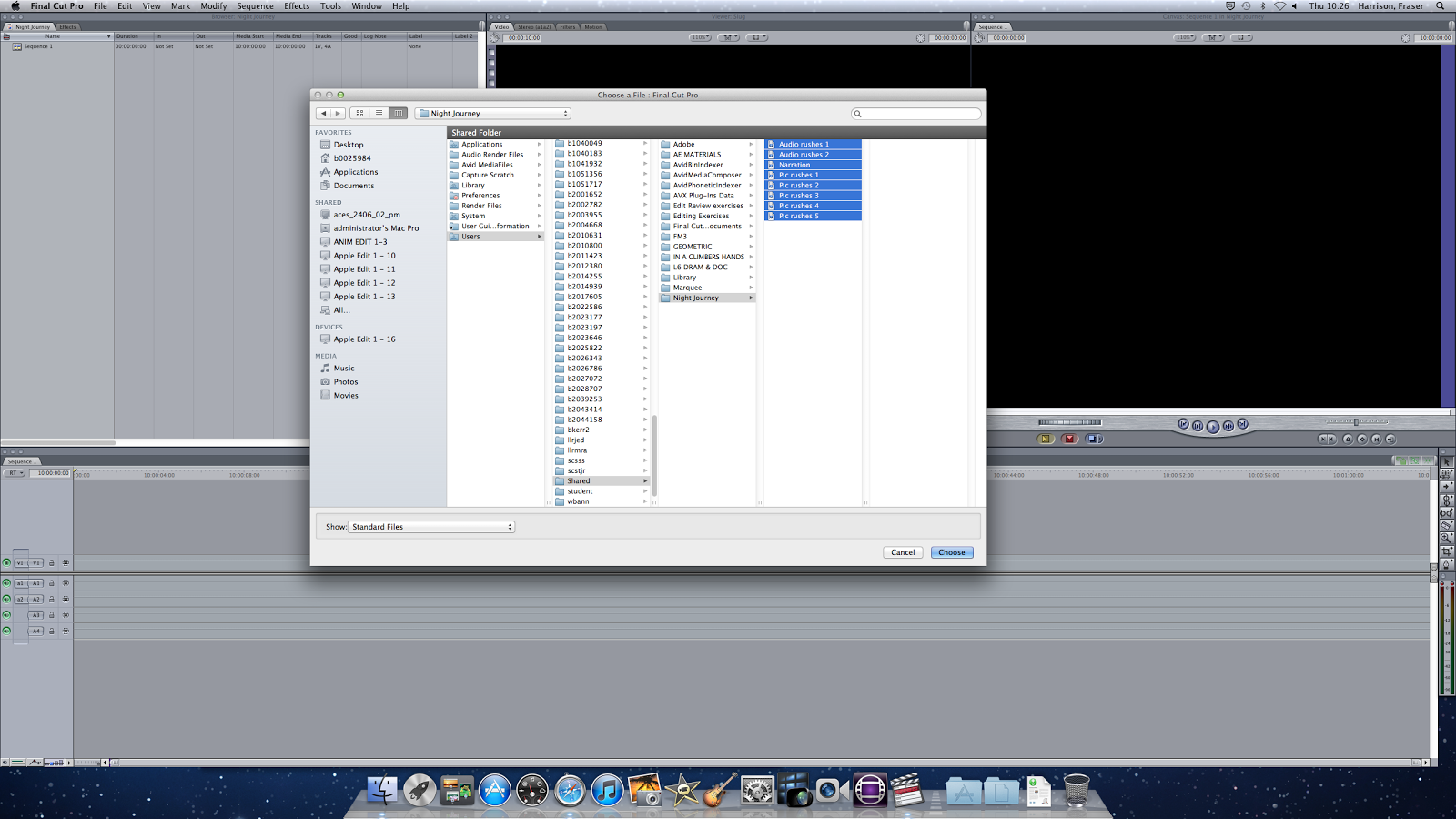
Then I saved the project as Night Journey, which is the title of the film we will be editing for the first brief. After I had saved the project, I imported the footage that we will be using for the brief and then we were given the task to finish for next week, which was to look through all of the footage, make sub-clips of each clip and label is all up correctly.


We also talked through the difference between interlaced footage and progressive footage. I learnt that interlaced footage uses many horizontal lines to make up the image and that there are 50 fields per second (50i) when there are 25 frames per second. Progressive footage is footage that has been recorded on film and is run through a projector at 25 frames per second (25p).

Finally, we watched the opening sequence of the film, Election, and spoke about the editing techniques used in the sequence.